Notice: Function _load_textdomain_just_in_time was called incorrectly. Translation loading for the acf domain was triggered too early. This is usually an indicator for some code in the plugin or theme running too early. Translations should be loaded at the init action or later. Please see Debugging in WordPress for more information. (This message was added in version 6.7.0.) in /home/xs500751/sns-manage.com/public_html/help.sns-manage.com/wp/wp-includes/functions.php on line 6131

Notice: Function _load_textdomain_just_in_time was called incorrectly. Translation loading for the wp-import-export-lite domain was triggered too early. This is usually an indicator for some code in the plugin or theme running too early. Translations should be loaded at the init action or later. Please see Debugging in WordPress for more information. (This message was added in version 6.7.0.) in /home/xs500751/sns-manage.com/public_html/help.sns-manage.com/wp/wp-includes/functions.php on line 6131
Google連携の設定方法|

カテゴリー一覧

未分類

Google連携の設定方法

このページでは、Google連携の設定手順について説明します。

用意するもの

■クライアント様のGoogleビジネスプロフィール(GBP)

設定方法

①メニューの【Google連携】より、”Googleアカウント連携”を選択

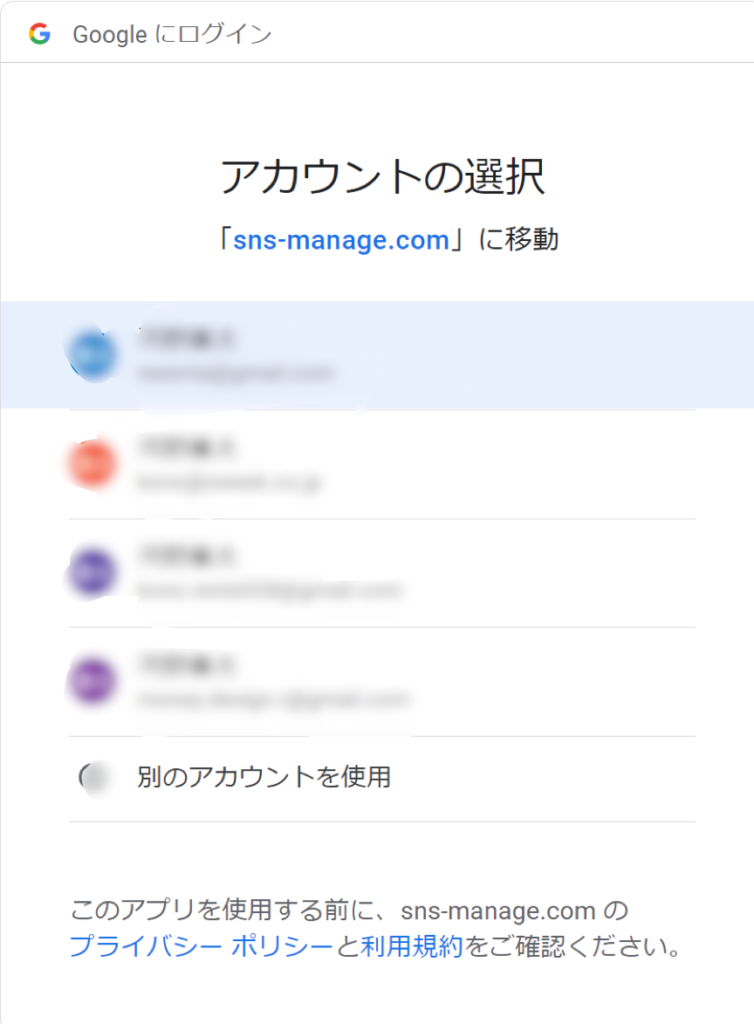
②自身が連携している、Googleアカウントが表示されますので、GBPへオーナー登録しているアカウントを選択。表示がない場合は、「別のアカウントを使用」より、表示させる。(右図参照)

③画面に沿って、承認作業をいただくと、連携が完了します。(下図参照)

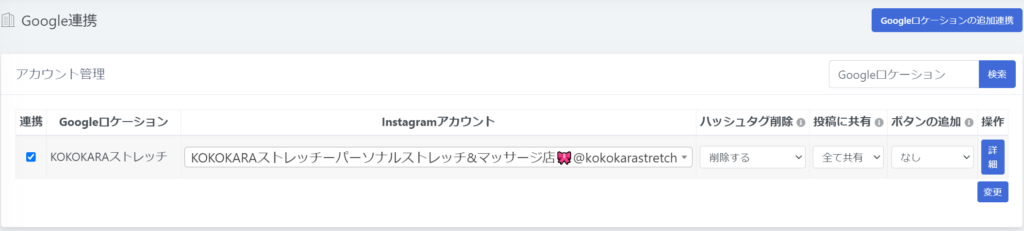
④【Instagramアカウント】よりGBPへ連携させたいアカウントを選択。(当サービスへ取り込んでいるアカウントのみ表示されます。)

⑤各項目を設定し、左端の【連携】に☑をつけ、【変更】ボタンを押すと、それ以降の投稿がGBPへ反映されるようになります。
注意事項

Googleへ連携できる投稿は1枚のみ

Instagram側で複数枚投稿をしている場合、GBP側では最初の1枚目が連携投稿されます。また、Instagram側でリール動画を投稿している場合、GBP側へは、サムネイル表示されたものが連携投稿されます。

カテゴリー一覧

ページの
最上部に戻る